Odoo Zebra integration for scanners and label printers
Receive a product, identify a pallet or print a shipping label: Zebra equipment can support several steps in your Odoo warehouse. We configure scanners, labels and inventory workflows to work together. This aligns your equipment with the daily work of your trading, distribution or manufacturing business in the Netherlands.
How does the Odoo Zebra integration work?
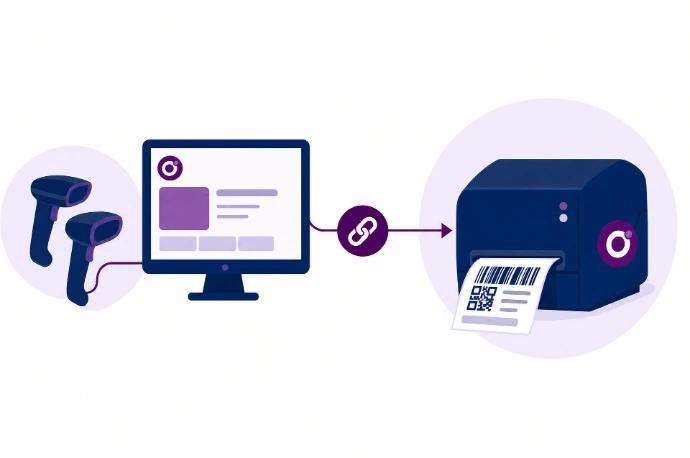
An Odoo Zebra integration connects suitable Zebra scanners or label printers to your Odoo workflows. Scanners provide barcode input, while label printers print information from Odoo. These use different technical approaches. We take care of the configuration so you can use your Zebra scanners with Odoo with confidence.
Print ZPL labels from Odoo on a Zebra printer
Odoo supports labels in Zebra Programming Language, or ZPL. This lets you put product or lot information on a suitable label, for example. Label dimensions, resolution, margins and barcode size must match the printer and label media. For automatic printing, we assess a supported IoT connection or an agreed custom solution.
Align label dimensions, resolution and reprinting
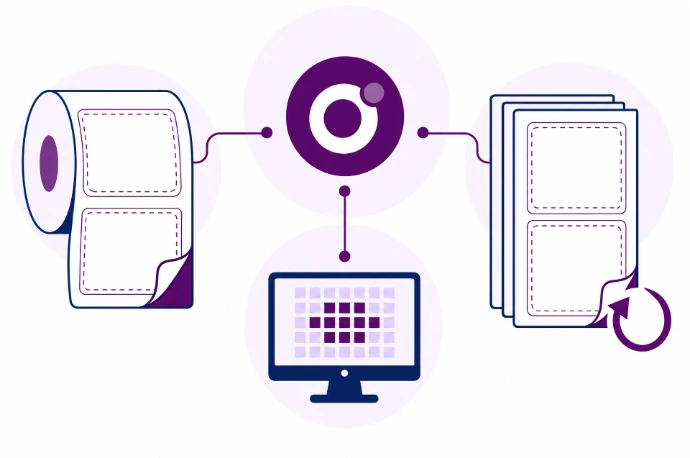
Which code goes on a box, which label belongs to a lot and when is reprinting allowed? We define the data sources and print triggers. We also test long product names, multiple labels and reprinting after a failure.
Capture barcodes and print labels from Odoo
Consistent identification throughout the warehouse
Use product, location and lot codes consistently across receiving, storage and dispatch workflows.
Labels using data from Odoo
Avoid having staff re-enter product references into a separate label file.
Test equipment before rollout
We assess scanner settings and printer output using your device models and label media before a wider rollout.

Frequently asked questions about Odoo and Zebra
Yes, a warehouse workflow can use both if the models and configuration are suitable. Scanner input and printer connectivity are configured separately. We then test that the same product and lot information appears in the records and on the label.
Yes. Odoo documents ZPL label reports and adjustments such as margins and barcode dimensions. The reports you use depend on your Odoo configuration. Kilurion checks the layout on your printer: a file that prints successfully can still produce a barcode that is hard to scan.
Not for basic scanner input through a suitable workstation. Odoo documents an IoT system for its standard direct printer connection. Other printing methods need a separate assessment. We choose the approach based on automatic printing requirements, the network and the device.
The existing layout can often be used as a starting point, but its data fields need to be mapped to Odoo. We assess the printer language, resolution, label media and available source files. We then test that your recipients' scanners can also read the barcode reliably.
Kilurion is based in Veenendaal and helps businesses in the Netherlands with Odoo integrations for warehousing and manufacturing. We align configuration and support with your locations and workflows. Supported models, work included and any recurring costs are agreed in advance.