Odoo ODBC Connector
Query your Odoo data with full SQL — directly from Excel, Power BI, or any reporting tool.
No more CSV exports. No more limited built-in reports. Get the analytical power of a real SQL engine over your live Odoo data.
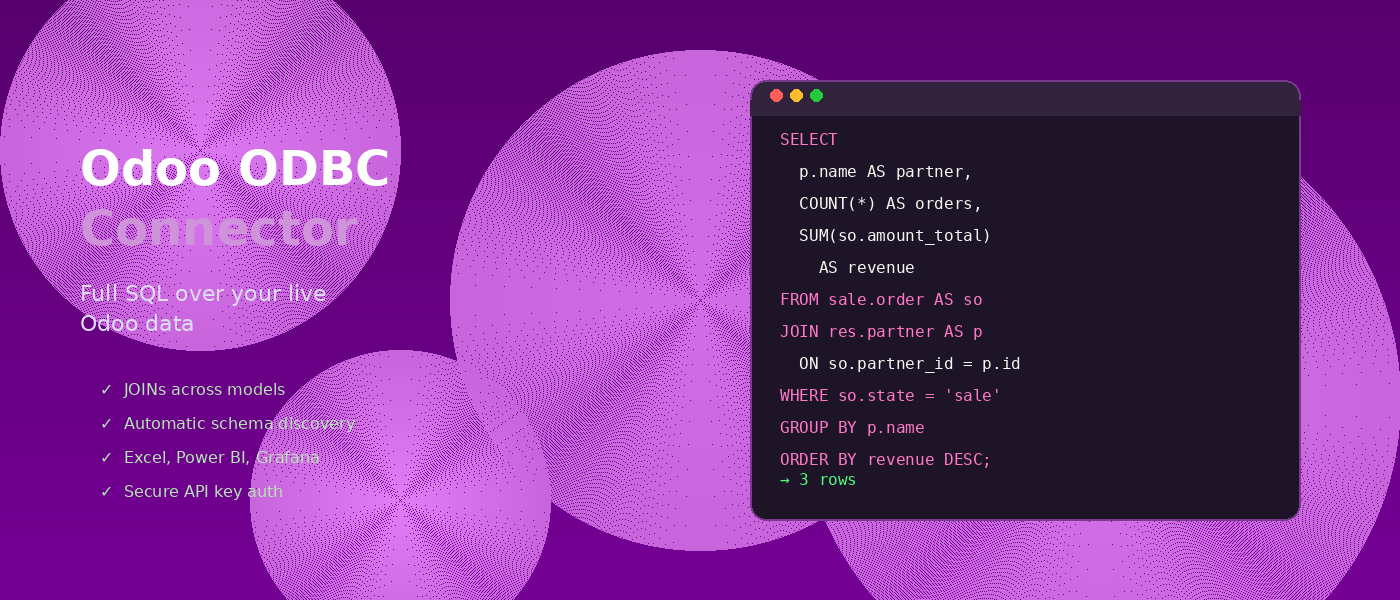
Your Odoo data, unlocked.
Odoo is great for running your business. But when it comes to reporting and analysis, you hit a wall. The built-in reports are limited. Exporting to CSV breaks your workflow. And cross-model analysis? That's where most tools give up.
The Odoo ODBC Connector changes that. It lets you query any Odoo model with standard SQL — with full support for JOINs across models, aggregations, subqueries, and more. Powered by DuckDB, one of the fastest analytical SQL engines available.
Connect
Point it at your Odoo instance. Schema discovery is automatic — no manual DDL or setup required.
Query
Write standard SQL. JOINs, GROUP BY, CTEs, window functions — all handled by DuckDB's optimizer.
Analyze
Export to CSV or Parquet. Connect via ODBC from Excel, Power BI, or any BI tool.
Built for serious analysis
Everything you need to turn Odoo into a first-class data source.
Full SQL support
JOINs across Odoo models, aggregations, subqueries, CTEs, window functions, UNION — DuckDB handles it all.
Automatic schema discovery
Point the connector at an Odoo model and it discovers all fields and types automatically. No manual column definitions needed.
Smart pushdown
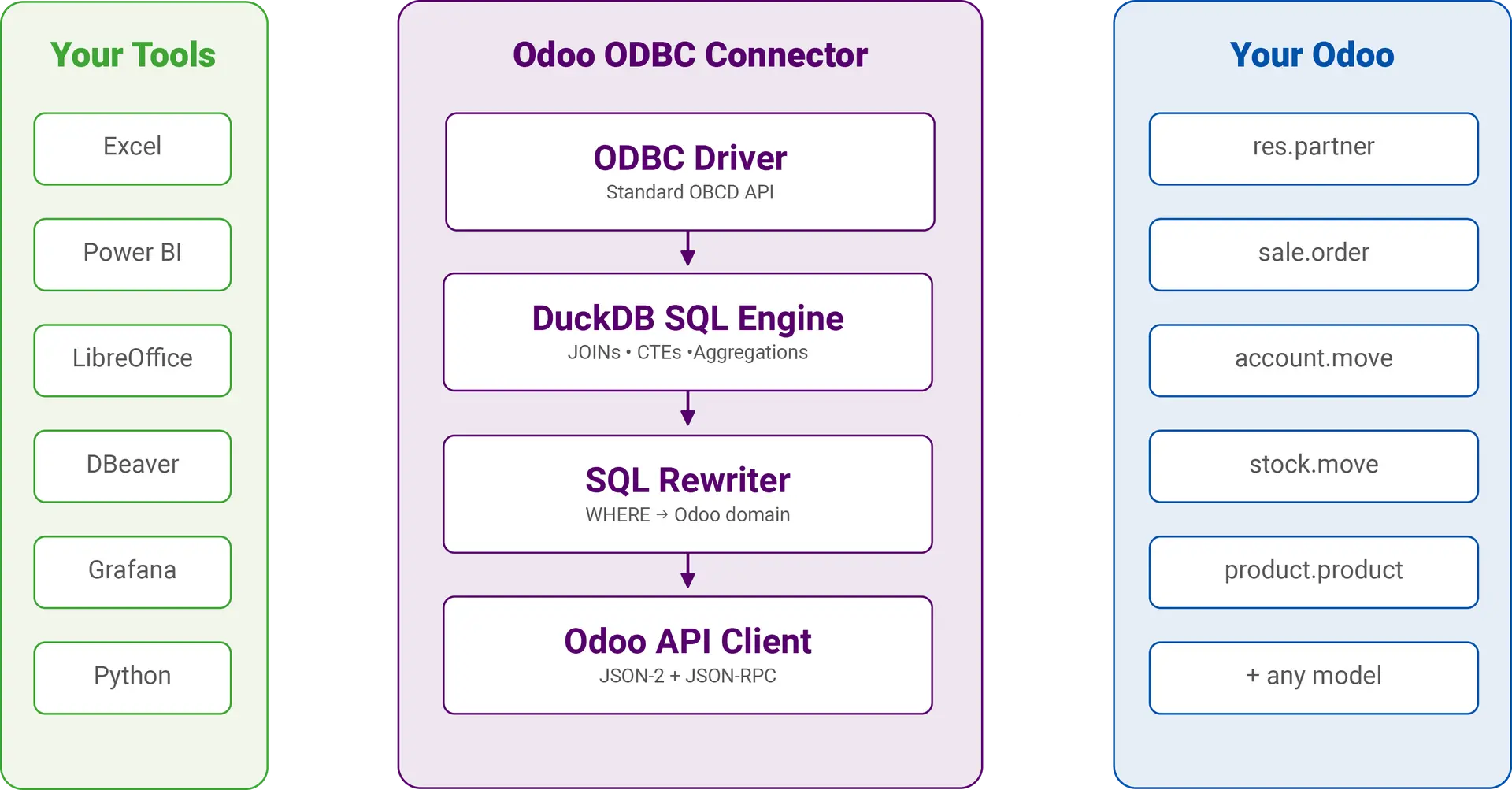
Only fetches the columns your query needs (projection pushdown). WHERE clauses are automatically converted to Odoo domain filters (filter pushdown).
Secure by design
TLS enforced by default. API keys are stored encrypted and never logged. Built following OWASP security guidelines.
Connect any tool
Use the included ODBC driver to connect Excel, Power BI, LibreOffice Calc, DBeaver, Grafana — any application that speaks ODBC or SQL.
Cross-platform
Single binary for Windows, macOS, and Linux. Works with Odoo 14 through 19+ using JSON-RPC or JSON-2 API.
Simple, transparent pricing
All plans include the full connector, ODBC driver, updates, and support. No hidden fees.
Desktop
For individual analysts and developers
€33.25/month
- 1 user
- Full SQL + ODBC
- Excel, Power BI, Tableau
- Filter & projection pushdown
- All updates included
- Email support
Team
For departments and small teams
or €133/month
- 5 users
- Everything in Desktop
- Unlimited Odoo Administrations
- Cross-administration JOINs
- All updates included
Server
For enterprise-wide deployment
or €99.92/month
- Everything in Team
- Unlimited users
- For Terminal Server / Citrix installations
- All (future) updates included
- Priority support + onboarding
How it works
Three steps to SQL-powered Odoo analytics.
Stap 1: Configureer je verbinding
Enter your Odoo server URL and API key — that's all it takes. The connector supports both the modern JSON-2 API (Odoo 19+) and legacy JSON-RPC (Odoo 14–18). Store the connection once and use clean table names from then on.
api_key=your-api-key
Connected to https://mycompany.odoo.com
odoo> .test
Connection OK
p.name AS partner,
COUNT(*) AS orders,
SUM(so.amount_total) AS revenue
FROM sale.order AS so
JOIN res.partner AS p
ON so.partner_id = p.id
WHERE so.state = 'sale'
GROUP BY p.name
ORDER BY revenue DESC;
Step 2: Write SQL
Use standard SQL to query any Odoo model. JOIN sales orders with partners and countries. Aggregate revenue by month. Build CTEs for complex pipelines. The SQL rewriter automatically translates your WHERE clauses to Odoo domain filters for server-side filtering.
Step 3: Analyze and export
Send results to CSV, Parquet, or a local DuckDB table for lightning-fast repeated queries. Or connect your favorite BI tool via ODBC — Excel, Power BI, LibreOffice, Grafana, DBeaver — and build dashboards directly on live Odoo data.
COPY (
SELECT name, email, phone
FROM res.partner
WHERE is_company = true
) TO 'companies.csv';
-- Or to Parquet
COPY (SELECT * FROM sale.order)
TO 'orders.parquet'
(FORMAT PARQUET);
Wat je ermee kunt doen
Some examples of what becomes possible when your Odoo data speaks SQL.
Sales analytics
JOIN sale orders with partners and products. Aggregate revenue by region, salesperson, or time period. Identify your top customers and best-performing products with a single query.
Financial reporting
Cross-reference invoices, payments, and journal entries. Build month-over-month comparisons, aged receivables, and cash flow analyses that go far beyond Odoo's standard reports.
Inventory intelligence
Analyze stock levels, movements, and reorder points across warehouses. Use CTEs and window functions to detect trends, calculate turnover rates, and forecast demand.
Custom dashboards
Connect Power BI, Excel, or Grafana via ODBC and build live dashboards on your Odoo data. No ETL pipeline needed — queries run directly against your ERP.
Data migration and export
Export any Odoo model to CSV, Parquet, or a local database. Clean and transform data with SQL before exporting — perfect for migrations, audits, or data warehouse ingestion.
Complex hierarchies
Use recursive CTEs to traverse partner hierarchies, bill of materials, or organizational structures. Combine data from multiple models into a single, coherent view.
Under the hood
Engineered for performance, reliability, and security.
| SQL Engine | DuckDB — high-performance analytical SQL |
| Language | Rust — fast, memory-safe, no garbage collector |
| Odoo versions | 14 through 19+ (JSON-RPC and JSON-2 API) |
| Authentication | API key (recommended) or username/password |
| Platforms | Windows, macOS, Linux |
| Connectivity | ODBC driver, CLI, Rust library |
| Security | TLS enforced, secrets encrypted in memory, OWASP compliant |
| Export formats | CSV, Parquet, DuckDB, JSON |
Why not just export to CSV?
| CSV export | Direct SQL access | ODBC Connector | |
|---|---|---|---|
| JOINs across models | Manual in Excel | Not via Odoo API | Full SQL JOINs |
| Live data | Stale snapshot | Bypasses ORM | Real-time via API |
| Aggregations | Pivot tables only | Limited | SUM, AVG, COUNT, window functions |
| Security | Files on disk | DB credentials needed | API key, TLS, ORM-safe |
| Setup effort | Low | High (DBA needed) | URL + API key |
How we compare to CData
CData offers a generic ODBC driver for Odoo — here is how the Kilurion Odoo ODBC Connector is different.
| Feature | Kilurion ODBC Connector | CData Odoo Driver |
|---|---|---|
| SQL Engine | Full DuckDB SQL — JOINs, CTEs, window functions, subqueries | Limited SQL passthrough — complex queries may fail or execute client-side |
| Cross-model JOINs | Native SQL JOINs across any Odoo models | Each model queried separately; JOINs performed in-memory |
| Filter pushdown | WHERE auto-converted to Odoo domain filters server-side | Partial — basic filters pushed, complex predicates fetched then filtered |
| Projection pushdown | Only requested columns fetched from Odoo | Supported |
| Odoo API support | JSON-2 (Odoo 19+) and JSON-RPC (all versions) | JSON-RPC only |
| Architecture | Rust + DuckDB — memory-safe, no garbage collector | Java-based (.jar) — requires JRE |
| Local analytics | DuckDB columnar engine for fast aggregations and exports | No local engine — data passed through to client app |
| Pricing transparency | From €299/yr — public pricing, subscribe online | Starts at $499/yr desktop — server pricing "contact sales" |
| Dependencies | Single native binary — no JRE, no .NET | Requires Java Runtime Environment |
| Platform support | Windows, macOS, Linux | Windows, macOS, Linux |
Frequently asked questions
Does this give direct access to the Odoo database?
No. The connector queries Odoo through the official API (JSON-RPC and JSON-2), respecting all access rights, record rules, and security policies. It never connects to the PostgreSQL database directly.
Which Odoo versions are supported?
Odoo 14 through 19+. Use JSON-RPC authentication (username/password) for Odoo 14–18, and the modern JSON-2 API with API key authentication for Odoo 19 and later.
Can I use this with Odoo.sh or Odoo Online?
Yes. The connector works with any Odoo instance accessible over HTTPS — on-premise, Odoo.sh, or Odoo Online.
What about performance with large datasets?
The connector uses projection pushdown (only fetches needed columns) and filter pushdown (converts WHERE clauses to Odoo domain filters) to minimize data transfer. Results are streamed in configurable page sizes. For repeated analysis, you can materialize data into a local DuckDB table.
Is my data safe?
Absolutely. TLS is enforced by default — HTTP connections are rejected unless explicitly allowed for local development. API keys are stored encrypted in memory and automatically zeroized when no longer needed. No credentials are ever written to logs.
Can I use this with Excel and Power BI?
Yes. The included ODBC driver lets you connect from any ODBC-compatible application, including Microsoft Excel, Power BI, LibreOffice Calc, DBeaver, Grafana, and many more.
Klaar om je Odoo-data te ontgrendelen?
See the Odoo ODBC Connector in action. We'll show you how it works with your data, your models, and your reporting needs.