
Your webshop sells a product. The customer is in your CRM, the inventory is kept in another package, and the invoice is created in your accounting. This works well in itself until someone has to type the order again, the inventory turns out to be incorrect, or you first have to open three systems to see what has been agreed upon with that customer.
That is often the moment when companies start looking at all-in-one software. Odoo is ERP software where you can bring together processes such as sales, inventory, CRM, and accounting. How many systems can you replace with it? That depends on what you are currently using and how your business operates. Naming a fixed number would sound nice, but wouldn't really help you.
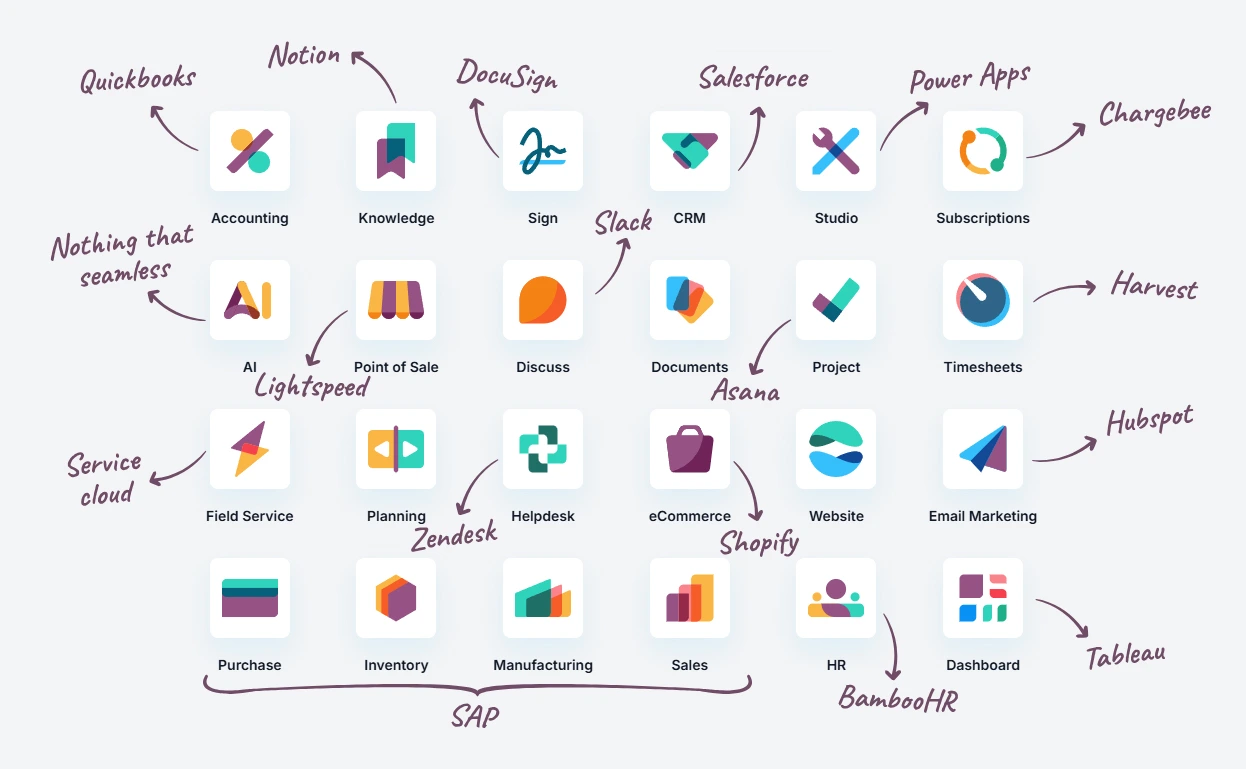
Where is the benefit of bringing systems together?
The benefit lies in what happens between the systems you are currently using. For example, look at a sales order: it contains information about the customer, the product, and the delivery. If that data does not automatically reach inventory and invoicing, someone has to check or re-enter it. In a well-configured Odoo environment, those steps can connect with each other. Your team then has to switch less and has a clearer picture of what is happening with the order.
For a service provider, this can be about quotes, projects, hours, and invoices. A trading or manufacturing company may benefit more from coherence between sales, purchasing, and inventory. Which systems Odoo can replace depends not only on the software but also on the processes you want to support with it.
Sometimes linking is smarter than replacing
Not every package needs to go. Maybe you use specialized software for an important industry process, or an application has been working well for years. Then it can unnecessarily cost a lot and cause disruption to replace it.
Odoo can sometimes work alongside existing software. A connection ensures that systems exchange data. This must be set up carefully: which information goes where, which system is leading, and who resolves it if the data no longer synchronize?
And if Odoo standard just doesn't fit your way of working, it can customization be a solution. We will look together with you whether adapting, connecting, or expanding is the wisest choice. Sometimes the standard setup proves sufficient. Sometimes a process requires something extra. We try to keep the software as standard as possible, but also ensure that the solution fits your company and remains manageable.
Does Odoo save you money?
Fewer software subscriptions are a possible saving, but they don't tell the whole story. Implementation, migrating data, training, and any connections also cost money. Customization also requires investment and maintenance. Therefore, also look at the hours that are currently spent on double entry, correcting errors, and gathering information. Less manual work can save money if it means, for example, you need fewer external hours. Sometimes it mainly saves time for other work, such as helping customers or processing orders. That is valuable, but not the same as a lower invoice.
A fair comparison looks at the total costs of your current software and its management, versus the one-time and recurring costs of Odoo. Take several years into account. This way you can see if replacement makes financial sense, instead of just placing two monthly amounts side by side.
The best first step is therefore not to count how many systems can be eliminated. Map out where information is duplicated, where employees get stuck, and which software is truly necessary. Then it becomes clear whether Odoo can replace multiple packages, or if a combination with integrations is a better fit.
We will make the assessment together with you. You won't get a promise that everything fits into one system, but a concrete picture of what is possible for your company.